Oh, darling, imagine this: You're deep in the editing trenches of your latest audiobook masterpiece—a gripping tale of espionage where the hero's voice needs to sound like velvet wrapped in danger. Your hands are flying across the keyboard, one punching keys to rewind that flubbed line, the other juggling a coffee mug because who edits without caffeine? Suddenly, disaster strikes: You spill your latte all over the spacebar, short-circuiting your workflow and turning your dramatic spy thriller into a soggy mess of error codes. If only there was a way to keep your hands free for the important stuff—like gesturing wildly at your screen or high-fiving yourself for nailing that accent. Enter the foot pedal: The unsung hero of audiobook editing that's about to revolutionize your life without requiring you to learn tap dancing. We're talking foot pedal audiobook editing here, with hands-free editing audiobook pedal tricks that'll make you feel like a multitasking wizard, ways to speed up workflow foot pedal style for those marathon sessions, and affordable edit tools narration pros swear by—all without breaking the bank or your spirit. If you've ever felt chained to your keyboard like a bad office job, buckle up. This guide's your ticket to freedom, one stomp at a time.
Let's face it: Audiobook production in 2026 is a booming beast, with the market hitting record highs and indies like you churning out content faster than listeners can hit play. But editing? It's the slog that separates the pros from the "I meant to fix that" amateurs. A foot pedal changes the game, letting your feet handle the grunt work while your hands stay creative. Ready to step up? Let's break it down.
Why a Foot Pedal? (Because Your Hands Are Busy Being Genius)
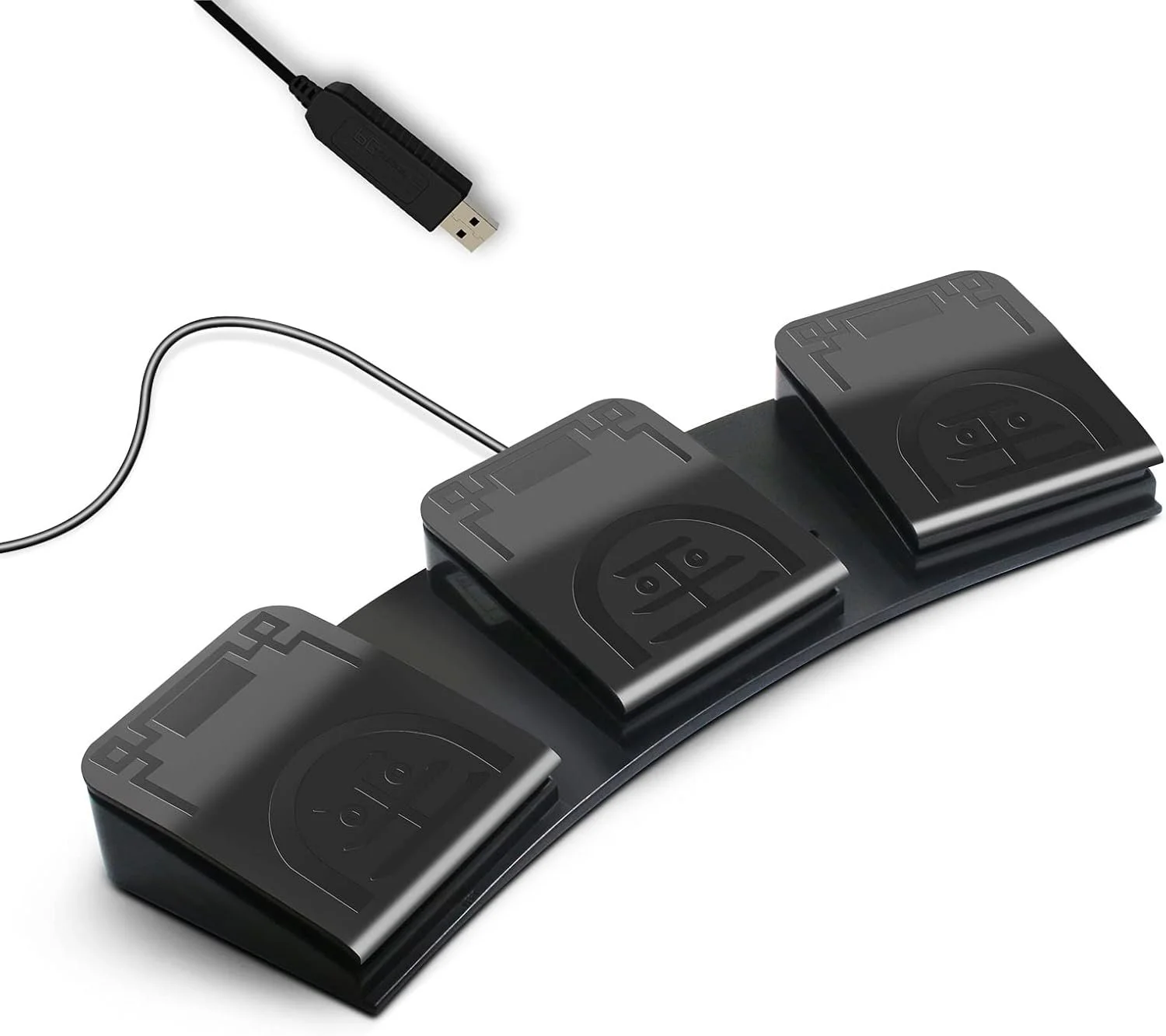
First things first: What even is a foot pedal in the audiobook world? It's not some medieval torture device—it's a simple USB gadget with buttons you control with your feet, like a keyboard for your toes. Plug it into your computer, map it to shortcuts in your editing software (think Audacity, Reaper, or Adobe Audition), and voila: Hands-free editing audiobook pedal magic. Hit play, pause, rewind, or scrub timelines without lifting a finger—literally.
Why bother? Speed up workflow foot pedal style, for starters. Traditional editing ties your hands to the mouse and keys, slowing you down when you're in the zone. With a pedal, you can edit on the fly—stomp to rewind that pesky plosive, another to mark a cut—all while sipping tea or jotting notes. For narrators juggling long sessions (we're talking 10+ hours of finished audio from 20+ raw), this affordable edit tools narration hack shaves hours off your timeline. In a year where AI tools are hyped but human touch still reigns, efficiency means more projects, more royalties, and less burnout.
The snarky truth? Your hands are for artistry—waving dramatically during reads or high-fiving your cat for moral support. Let your feet do the grunt work. Pros report 20-30% faster edits with pedals, per forums like Reddit's r/audiobooks. If you're indie and bootstrapping, this $20-100 investment pays for itself in saved sanity.
One hilarious win: I know a narrator who used to edit with one hand on the mouse and the other holding a baby. Foot pedal? Game-changer—now the kid thinks mom's dancing during work.
Pros and Cons: The Good, the Bad, and the Foot-Friendly
No tool's perfect, so let's dish on wireless mic audiobook pros cons—wait, wrong debate. For foot pedals, the pros scream efficiency. Hands-free editing audiobook pedal means multitasking: Edit while stretching, pacing, or even doing light yoga (downward dog during dull chapters?). Speed up workflow foot pedal by mapping to hotkeys—rewind 5 seconds with a tap, mark errors with a stomp. Affordable edit tools narration options abound, from basic three-button models ($30) to programmable beasts ($100+).
Reliability's a plus—no batteries, just USB plug-and-play. For long-form audiobooks, where reviewing takes hours, it reduces strain— carpal tunnel's no joke when your livelihood's your voice (and hands).
Cons? Learning curve—your feet aren't as nimble as fingers at first. Expect a week of "oops, wrong button" mishaps. Bulkier setups clutter floors, and cheap models feel flimsy—invest in durable ones like Infinity or VEC. Not ideal for mobile editing; they're desk-bound beasts.
Wireless versions exist ($50-150), offering freedom but with battery woes. Overall, pros outweigh cons for booth-based work— if you're mobile, stick to keyboard shortcuts.
Funny con: Early on, you might stomp too hard, scaring housemates. Pro tip: Warn them it's "editing time," not a poltergeist.
Choosing the Best Foot Pedal: Affordable Options That Don't Suck
Shopping for affordable edit tools narration? Start with needs: Basic (play/pause/rewind) or advanced (programmable for cuts, markers)?
Budget pick: VEC USB Foot Pedal ($40)—three buttons, sturdy, compatible with most DAWs. Great for beginners taming simple edits.
Mid-range: Infinity IN-USB-2 ($60)—ergonomic, customizable via software, built like a tank. Speed up workflow foot pedal with hotkey mapping for Audition shortcuts.
Pro level: Kinesis Savant Elite2 ($150)—programmable, wireless option, foot-activated macros for complex tasks like "cut and paste error."
Hands-free editing audiobook pedal tip: Check compatibility—USB works universally; test with your software. Read reviews on Amazon or Sweetwater—avoid no-name brands that break mid-project.
Funny shopping tale: Bought a cheap knockoff—buttons stuck like glue. Now? Stick to reputable for reliability.
For narration-specific, pair with pop filters or stands—pedals free hands for script flipping.
Setting Up Your Foot Pedal: Plug, Play, and Pedal Power
Setup's a breeze for speed up workflow foot pedal gains. Plug USB, install drivers if needed (most plug-and-play). In software: Map buttons—e.g., left: rewind 5s, middle: play/pause, right: forward 5s.
In Audacity: Preferences > Keyboard > Assign shortcuts to pedals.
Reaper/Audition: Similar—custom actions for "mark in/out" or "split clip."
Hands-free editing audiobook pedal pro: Position under desk for natural foot reach—ergonomics matter to avoid cramps.
Test on samples—adjust sensitivity if programmable. Affordable edit tools narration hack: Use with voice recognition for dictating notes—hands-free heaven.
Funny setup snag: Mapped wrong—rewind stomped me back to chapter one repeatedly. Double-check mappings!
Integrating into Workflow: Tips for Maximum Efficiency
To truly speed up workflow foot pedal, integrate seamlessly. Routine: Record, then edit with pedal for transport—hands on cuts/markers.
For long sessions: Pedal frees movement—stand, pace for energy without pausing.
Tame dynamics: While editing, stomp to loop sections—fine-tune EQ hands-free.
Affordable edit tools narration add-ons: Pair with transcription software like Descript—pedal controls while reading transcripts.
Multi-task: Edit while noting script changes—hands jot, feet navigate.
Funny efficiency boost: Felt like a DJ stomping beats—but for audiobooks. Productivity soared 25%!
Pitfalls: Over-reliance—learn keys too. Clean pedals—dust bunnies love them.
Advanced Tricks: Level Up Your Pedal Game
For pros, programmable pedals unlock macros—e.g., "stomp to apply noise reduction."
Wireless for freedom—move around booth without tangles.
In 2026, apps integrate pedals with AI edits—stomp to "auto-fix plosive."
Hands-free editing audiobook pedal advanced: Custom scripts in Reaper—pedal triggers batch processes.
Funny trick: Mapped a "victory stomp" to play applause—motivation after tough edits.
Wrapping It Up: Step Into Faster Workflows
There you have it—a sassy stomp through foot pedal audiobook editing that frees your hands and turbocharges your flow. From why pedals rock to pros/cons, affordable edit tools narration picks, setup, workflow tips, and advanced tricks, you're set to speed up workflow foot pedal style without the hassle. Your editing deserves this upgrade; embrace the pedal power, and watch productivity soar.
And if pedal-powered editing feels like a dance you're not quite ready to lead, why not let Sounds and Such take the floor? We offer workflow consultations, tool recommendations, and full production services to make your audiobook editing hands-free and hassle-free.